










“We can see where every dollar is going while the work is happening.”
Nik Nemezek· Owner

FDIC Insured Accounts

Bank-level security

Real-time AI insights

What teams are saying after moving their project finances to Asset Card.
What types of businesses can use AssetCard?
AssetCard is specifically designed for project-based businesses, including construction companies, house flippers, event planners, yacht management firms, property managers, and other industries that operate on a project-by-project basis. Our platform provides tailored solutions to help you manage finances, track expenses, and organize accounts for each individual project.
Can I try the app for free?
Yes! Your first project is free, which allows you to get a feel for the application. The free project comes with constraints on the number of team members and vendors, but provides full access to core features. Please note that a valid EIN and driver’s license are required to sign up for AssetCard.
Is Asset Card safe and secure?
Yes, AssetCard is very secure. We partner with Stripe and Celtic Bank to provide the highest grade of security and encryption for all your transactions and data. Your information is protected with industry-leading security standards.
How quickly can I get started with AssetCard?
Getting started with AssetCard is quick and easy. Most users can complete the account setup process in just a few minutes. Once your account is verified, you can begin using AssetCard’s features immediately.
Is there a web app available?
Yes, AssetCard offers a fully-featured web application that you can access from any browser. This allows you to manage your accounts, view transactions, and access all features from your desktop or laptop computer, in addition to our mobile solutions.
What kind of support do you offer?
We offer comprehensive customer support to all AssetCard users. Our support team is available to assist you with any questions, technical issues, or account inquiries. You can reach us through our help center, email, or live chat.
Can I integrate with other tools?
Yes, AssetCard supports integrations with various business tools and platforms. We have a built-in QuickBooks integration, with additional integrations coming in the near future. We offer API access for enterprise clients who need custom integrations to help streamline your workflow and connect with your existing systems.
How do I add team members to my AssetCard account?
Adding team members is simple through your account dashboard or mobile app. You can invite users via phone number, and they will sign up and become part of your organization. You can control project-level access, set spending controls, and manage permissions to ensure each team member has appropriate access to relevant accounts and features.
What fees does AssetCard charge?
AssetCard offers transparent pricing with no hidden fees. Specific fee structures depend on your account type and usage. Please visit our pricing page or contact our sales team for detailed information about fees applicable to your use case.
Designed for real projects- not generic business banking.
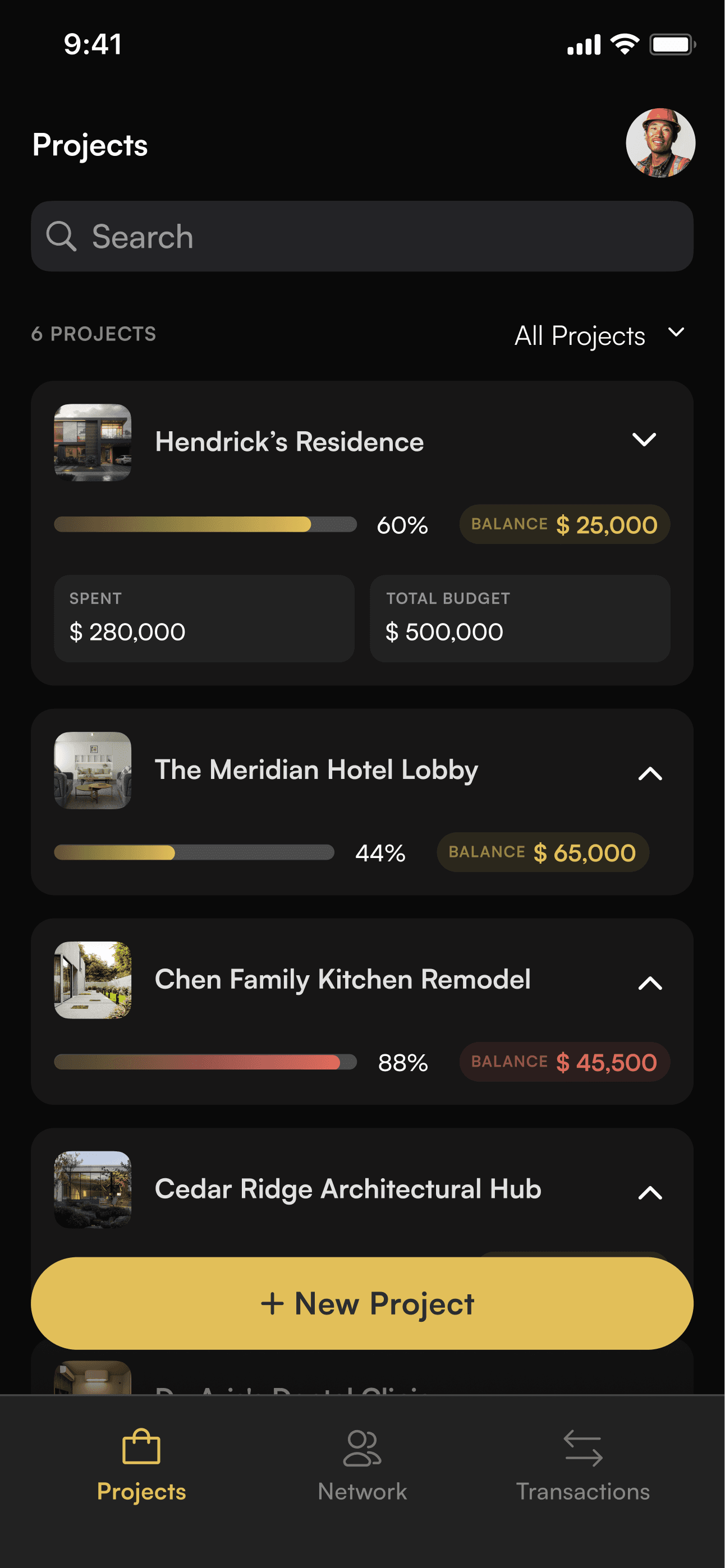
All-in-one project financial banking, card issuance, spend management, invoicing and billing.
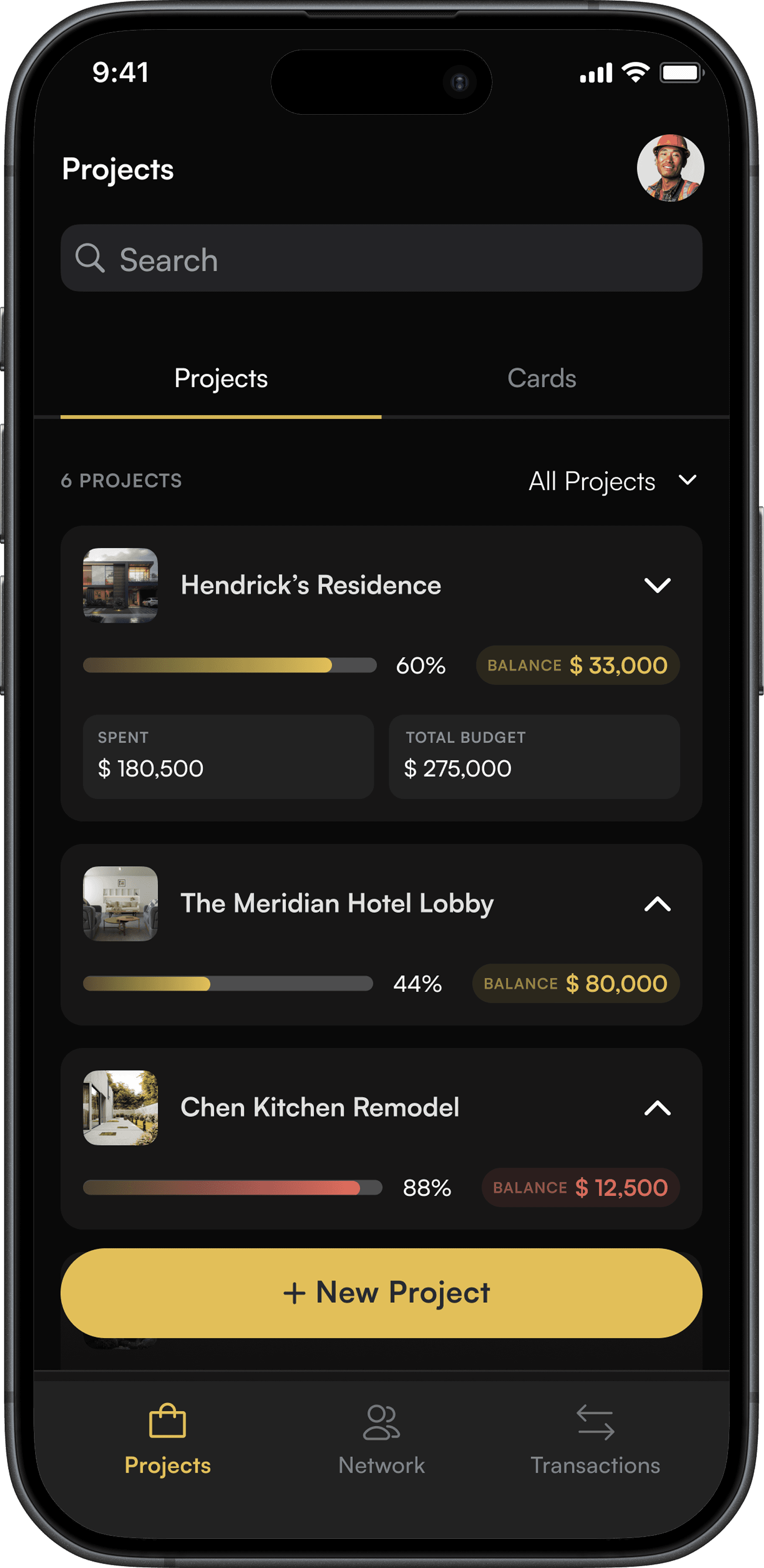
Open a dedicated bank account for every project in seconds. Keep every dollar separate for clean, audit-ready accounting.
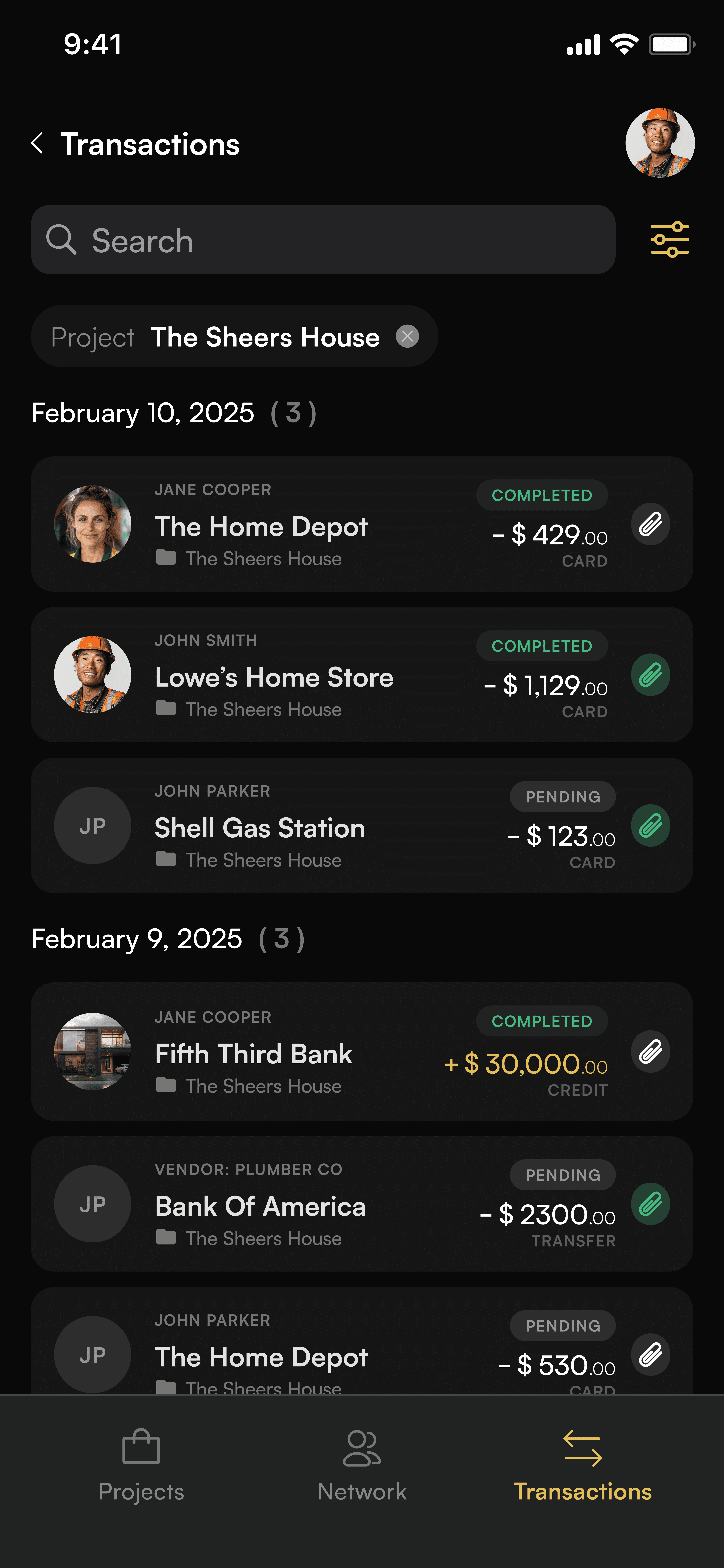
See every card swipe and payment the moment it happens. Each transaction lands in the right project account, tagged with who spent, where, and on which job.
Send branded estimates and invoices for e-signature approval. Get paid directly into project accounts so draws, cash, and margins stay clear.
Assign permissions based on roles to keep projects secure. Control who can view accounts, approve spend, and issue cards on every project.
Give clients a live view of their project — shared invoices, approvals, and transactions as work happens. No more month-end scramble for progress billing.

Client view - shared
Live
Invoice #1042: progress draw
Approved
Transactions shared this week
24
Budget remaining
$249,500
Ask Arvis anything about your numbers. Get powerful insights and forecasts from your own project data — cost overruns, cash timing, and margin trends before they bite.
Arvis
“Will Hendrick’s finish under budget?”
Yes — you’re pacing 8% under budget. At the current burn rate this project closes around $460,000, leaving roughly $40,000 of margin upside.
Projected spend — next 6 weeks
Built by real contractors
Asset Card was built by contractors who experienced firsthand how hard it is to manage multiple projects with the wrong financial tools. We’ve lived the frustration of mixed funds, unclear budgets, and end-of-month cleanup - so we built a better way.
The traditional bank
Deposits and card spend from every project land in the same account. Nothing shows where the money came from, or which job it goes to.
Project A draw
Project B deposit
Project C retainer
BUSINESS CHECKING — ALL PROJECTS
$418,600.00
Lumber yard — $8,240
Which job?
Draw deposit — $60,000
Whose money?
Sub payment — $14,500
Unassigned
Fuel & tolls — $1,180
Split how?
Permit fee — $2,400
Unassigned
THEN COMES MONTH-END
Sorting receipts back to the right job
Guessing at budgets that already drifted
Explaining to an owner where their draw went
Result: one job’s draw quietly covers another job’s bills — and you find out at month-end you actually lost money.
Asset Card
Every draw, deposit, and card swipe belongs to one project from the moment it happens. Visible from your pocket, with budgets that never borrow from each other.
Lumber yard — $8,240
Hendrick’s Residence
Draw deposit — $60,000
The Meridian Hotel Lobby
Sub payment — $14,500
Chen Kitchen Remodel
Result: every dollar stays with the job that earned it — no borrowing, no cleanup.
What used to take days of pulling receipts and reconciling cards now takes seconds. Every project's spend is tracked automatically, so a client-ready progress report is always one click away.
Asset Card — Project reporting
Live
Hendrick’s Residence
Marina Bay Refit
Oak & Vine Launch
SPENT
Labor
Materials
Subcontractors
Fees & permits
LINE ITEM
PAID FROM PROJECT

Framing crew — week 14
Lumber & drywall
Electrical — rough-in
Plumbing subcontractor
Permits & inspection fees
Contract value
Spent to date
Net margin
Project P&Ls update the second a card is swiped — no reconciling at month-end.
Every transaction lands as a coded line item on the right project statement.
Send owners, partners, investors or your accountant a clean statement in one click.
Volume pricing that drops as you add projects. Team and vendor seats scale in blocks of 10.
Projects are billed monthly. Close a project any time before the next billing cycle and you stop paying for it — no contracts, no cancellation fees.
Book a free demo and see how Asset Card helps your team track every dollar, every project, every time.


